

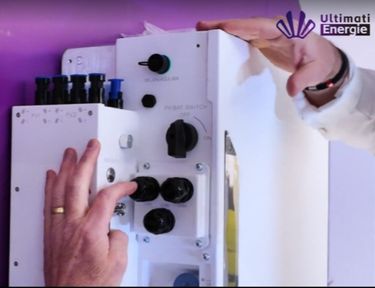
How to Check if My Inverter is Working Properly? Guide & Tips
An efficiently functioning inverter is crucial for any photovoltaic system. Whether it’s a traditional PV system or a modern hybrid inverter—without properly working electronics, solar energy cannot be utilized optimally. As a result, many system operators ask: How can I check if my inverter is working properly?
In this guide, you will learn how to test your inverter, identify faults, and extend the lifespan of your system.
Why is Checking the Inverter So Important?
The inverter converts the direct current (DC) generated by solar panels into usable alternating current (AC). Hybrid inverters also handle battery management, load control, and grid monitoring tasks. If the inverter malfunctions or its efficiency drops, solar output will immediately decrease. Therefore, you should regularly check if your inverter is working properly.
How to Identify if Your Inverter is Functioning Properly?
Typical Warning Signs
To test your inverter, you should pay attention to the following signs:
- Very low daytime output
- Red or blinking LED indicator lights
- Error messages on the display
- Unusually high temperatures
- Frequent restarts
- Missing data in monitoring
Hybrid inverters may also display abnormal charging or discharging cycles of the battery.
Comparing to Expected Values
Many users ask: How can I check if my inverter is working properly without a comparison value? Here are some reference points that might help you:
- On sunny days, does the daytime output reach 70-90% of the module's rated power?
- Even with stable weather, does the output suddenly show a large deviation?
- Does the app show voltage fluctuations or disconnections?
Hybrid inverters may also display issues with battery management, which could indicate faults.
How to Test the Inverter? Step-by-Step Guide
Visual Inspection
Before testing your inverter, start with a simple visual inspection. Check for external damage to the device casing or cables, and make sure the ventilation openings are not blocked. Dust, dirt, or obstructed air vents can lead to overheating and affect performance. Also, look for scorch marks or signs of discoloration, which may indicate thermal issues. For hybrid inverters, good ventilation is especially important as the battery electronics need to be cooled as well.
Check the Display and LED Status
Next, check the system’s LED indicators and display. Many inverters use a simple color code to show the status: green indicates normal operation, yellow or orange indicates a warning, and red indicates a fault. Hybrid inverters’ displays also show information like battery status, grid status, and charging power, often including more detailed parameters like charging cycles or temperature data. This additional information helps you detect potential anomalies early.
Check the Monitoring System
Modern PV technology offers convenient monitoring features through apps or online platforms. When checking the monitoring system, analyze the output curve from the past few days, compare MPPT data, and check for any changes in battery performance—especially for hybrid inverters. Grid reference and grid feed-in data can also help determine whether the inverter is functioning properly or showing abnormal fluctuations. If the output curve drops unusually or data disappears temporarily, this usually signals a fault in the system’s operation.
Compare with Weather Conditions
To reasonably assess the inverter’s performance, consider the current and past weather conditions. On sunny days, you should expect higher output, while cloudy days may cause greater fluctuations. Heat can also cause a slight decrease in performance, as many devices have thermal protection mechanisms. If the inverter still provides low output under ideal weather conditions, it's likely a technical issue with the device.
Check AC and DC Data
A crucial step when testing the inverter is comparing electrical data. Typically, you can read DC voltage, AC power, grid frequency, and device temperature data from the display or monitoring system. These data should be stable and within the expected range. Hybrid inverters also provide additional data such as battery status, charging and discharging currents, and priority logic between the PV system, battery, and grid. These extended data points allow for more precise diagnostics, especially when it involves battery or backup power functionality.
Perform a Restart
Sometimes, a restart can resolve many software-related faults, so don't overlook this. First, turn off the AC connection, then turn off the DC connection. Wait for about 30 to 60 seconds, then turn on the DC part first, followed by the AC part. Many inverters will stabilize after a reset, especially when the issue is due to communication errors or temporary overloads. For hybrid inverters, the synchronization process may take longer as both the PV system and battery system need to be reinitialized.
Differences in Testing Between Hybrid and Regular Inverters
Different Testing Requirements
Regular inverters primarily check the PV input and AC output. Hybrid inverters, however, require additional testing:
- Battery operation
- Discharge efficiency
- Grid switching
- Off-grid functionality
- PV-AC-Battery control
Comparison Table
| Test Criteria | Regular Inverter | Hybrid Inverter |
| Check PV input | ✔ | ✔ |
| Check AC power | ✔ | ✔ |
| MPPT Analysis | ✔ | ✔(usually more accurate) |
| Battery Test | ✘ | ✔ |
| Backup Power Function | ✘ | ✔ |
| Off-Grid Test | ✘ | ✔ |
| Comprehensive Monitoring | Basic | Extended |
Extend Lifespan – Keep Your Inverter Running Efficiently
To ensure reliable operation of the inverter, regular maintenance is crucial. Hybrid inverters, in particular, need good cooling and a clean environment.
- Clean dust and ensure proper ventilation to avoid overheating.
- Regularly check monitoring data to spot performance deviations or fault information early.
- Occasionally inspect cable connections and joints to ensure smooth current flow.
- Keep the firmware updated to optimize efficiency and safety.
By following these simple measures, your inverter will continue to perform well over the long term, and your solar system will run efficiently.
Ultimati Energie Recommendation – RE-U20 Hybrid Inverter
The RE-U20 Off-grid/Grid-tied Hybrid Inverter is ideal for those seeking maximum reliability and precise inverter monitoring.
Advantages of the RE-U20:
- 10,000 charging cycle lifespan
- Supports Virtual Power Plant (VPP)
- Supports AC and DC coupling
- Optional generator connection
- Online monitoring and smart fault diagnostics
- AFCI and RSD compliant
- Seamless backup power operation
Those who want to test their inverters will benefit from the system's real-time transparent data.
Conclusion
Whether it's a traditional inverter or a modern hybrid inverter, regular checks and testing ensure maximum efficiency. Through visual inspections, monitoring, reference value comparisons, and simple tests, you can detect issues early and avoid yield loss.
If you value backup power fu
nctionality, detailed analysis, and maximum stability, Ultimati Energie is an excellent choice.

Ultimati Energie Deutschland GmbH is a Germany-based B2B energy storage system provider specializing in scalable residential and C&I battery storage solutions for European partners.
Become a Partner
Sales: +49 1624886367
Customer Support:
+49 15226994869
Address: Ober der Röth 4, 65824 Schwalbach am Taunus, Germany
Copyright © 2026 Ultimati Energie Deutschland GmbH All rights reserved.